
Help
Once your sign-up process completed, you will get a confirmation email. After that you will become an administrator for your tournament and login into CricTrophy.com Management - Admin Tool. Management will display tabs on left side category-wise.
Overview
Getting Started
Setting up tournament
Individual details
Quick links
Setup tournament:
| FAQs: | ||||
| How to change tournament name? | How to add About? | How to add Rules? | How to add News? | |
| How to add Photos? | How to add poster to my home page? | How to add Videos? | How to add Grounds? | |
| How to add teams? | How to added tournament matches schedule? | How to update score? | How to add Points? | |
| How to add Top players? |
| No. | Action | Description | Web View |
|---|---|---|---|
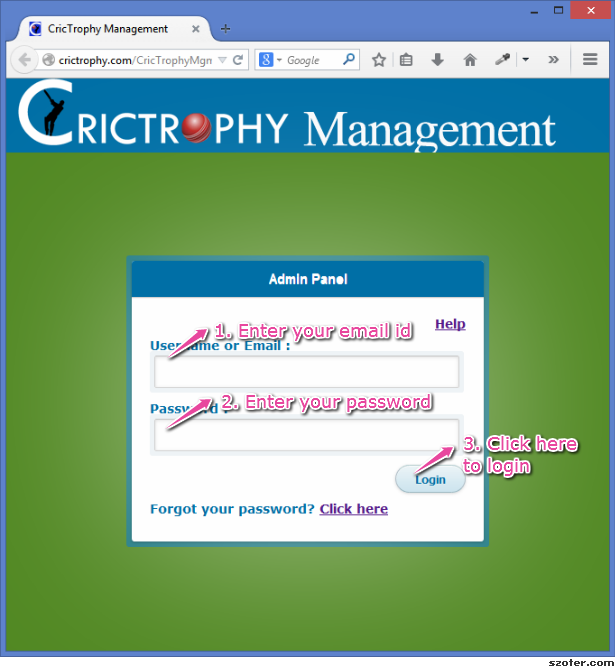
| 1 | Login | Login with your login details. |
|
 |
|||
| 2 | Change tournament details |
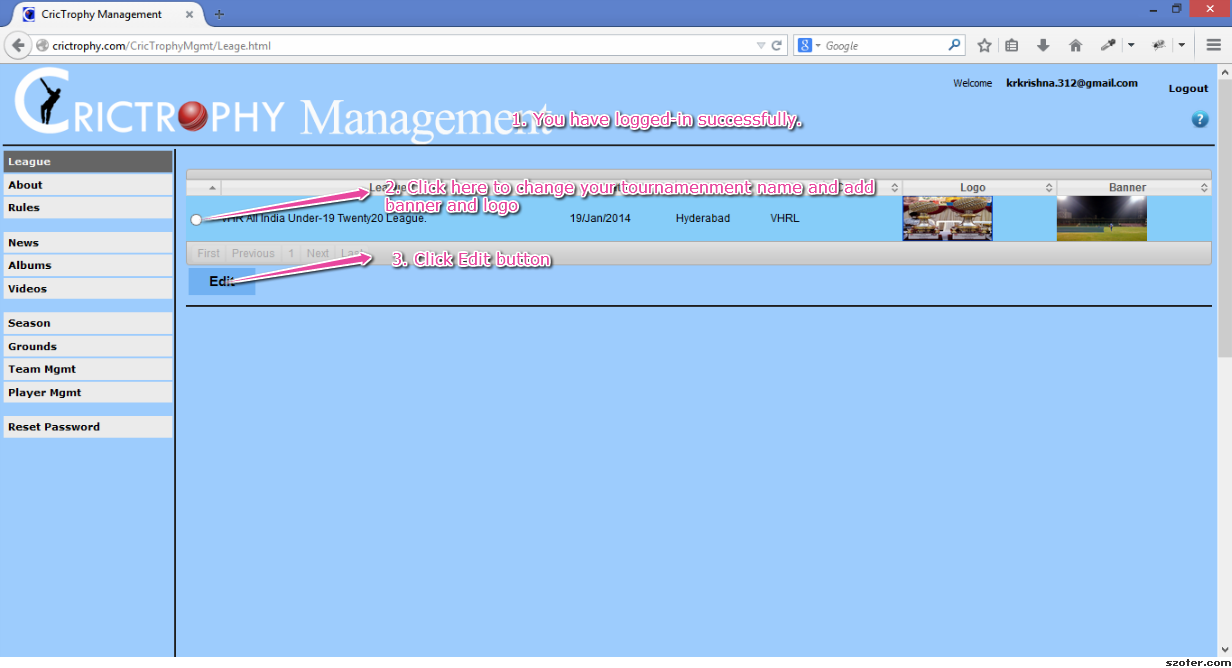
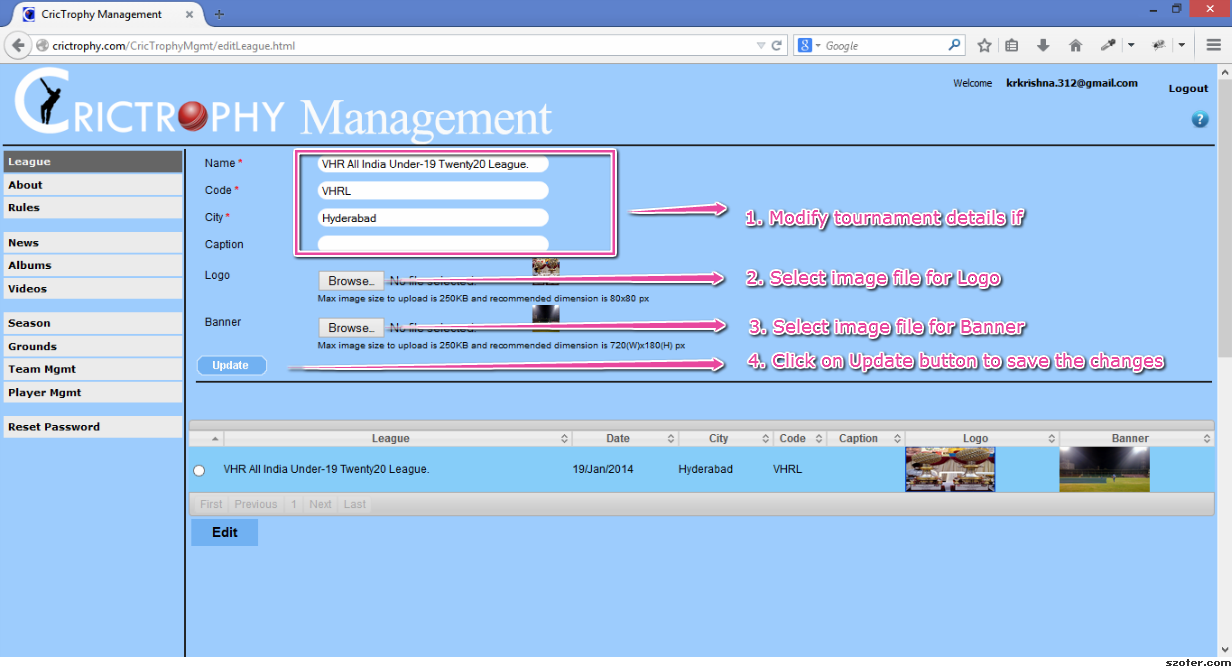
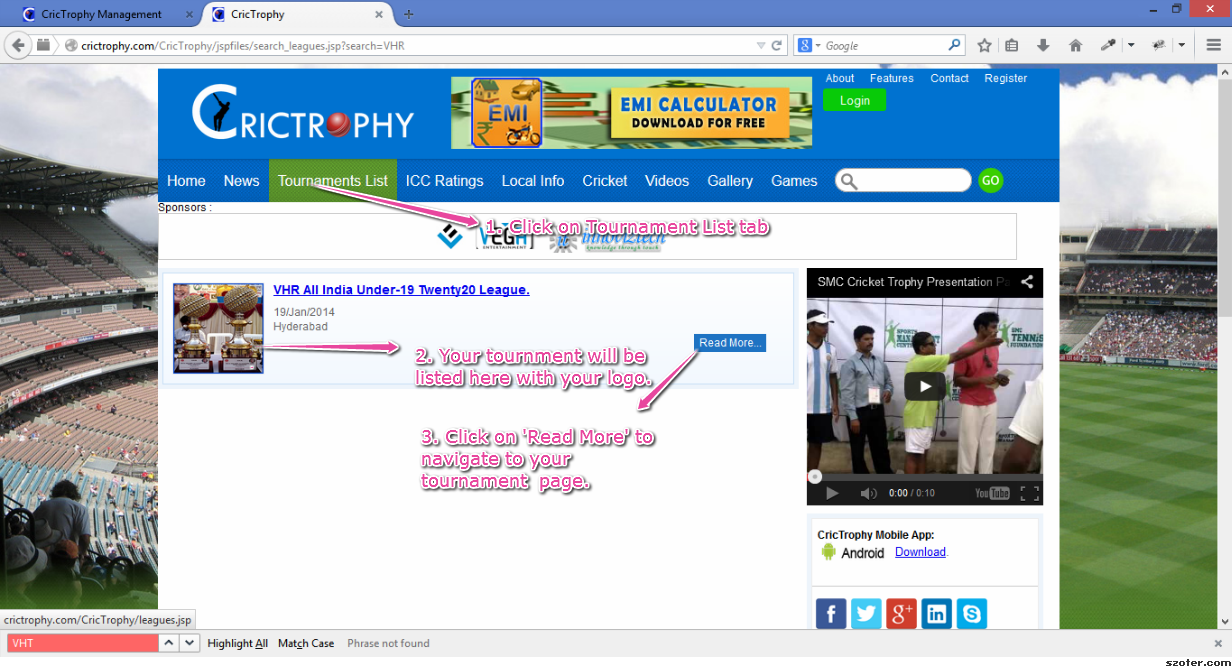
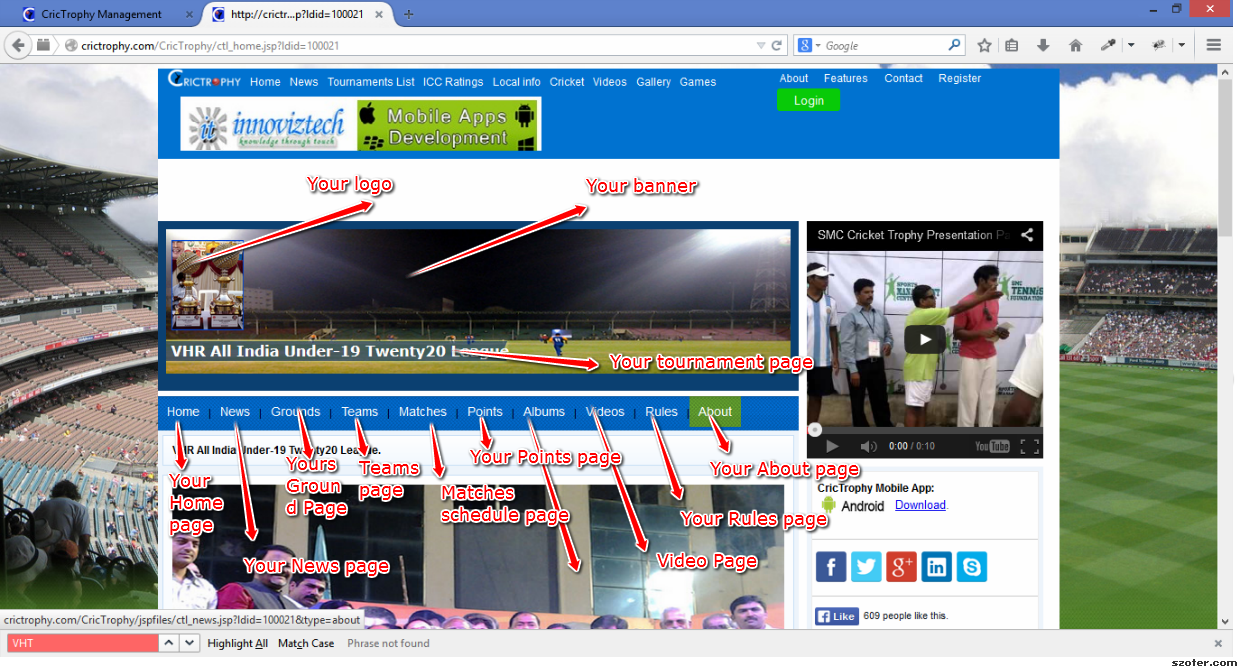
a) Select the radio button. Clck on 'Edit' button. b) Change Name, Code, City, Caption if required. Select a picture for Logo Select a picture for Banner Click on Update. |
|
|
|
||
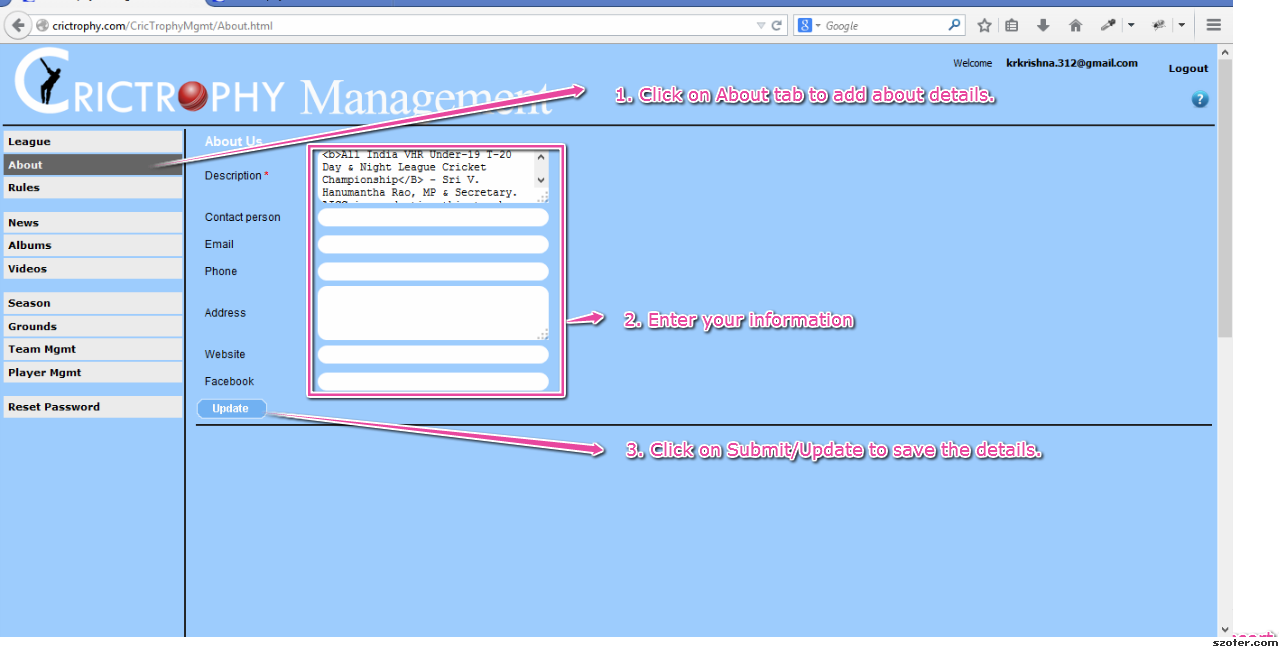
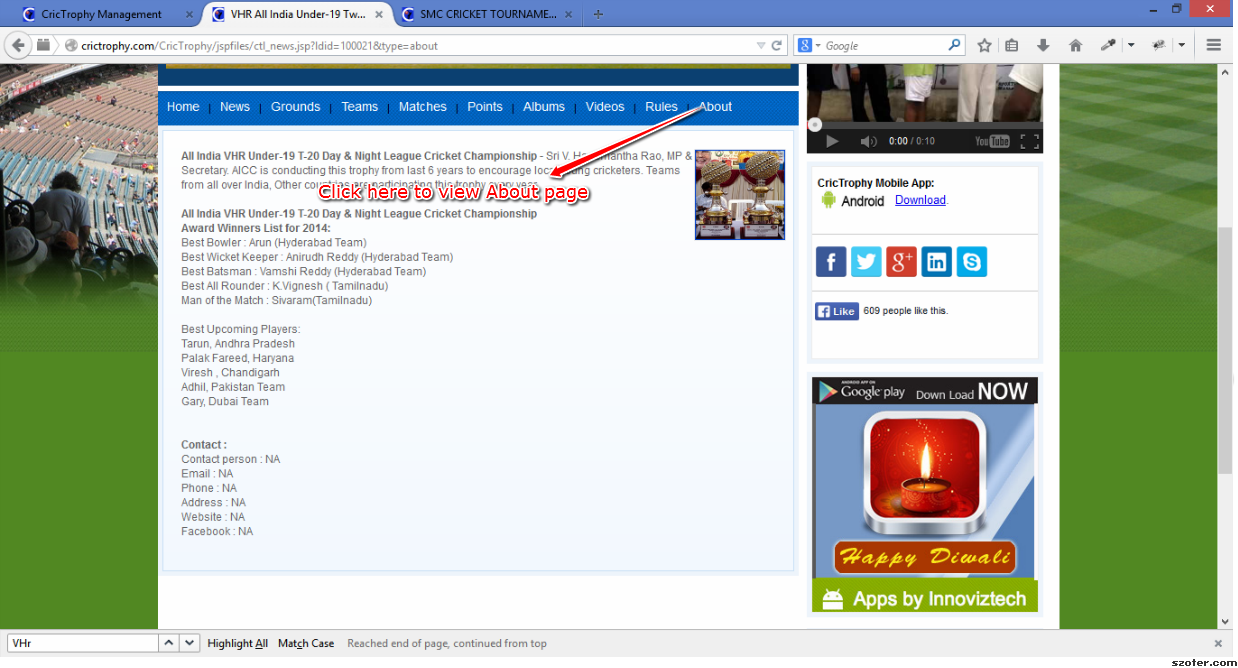
| 3 | Add About information |
Enter your info
Click on Save/Update. |
|
|
|
||
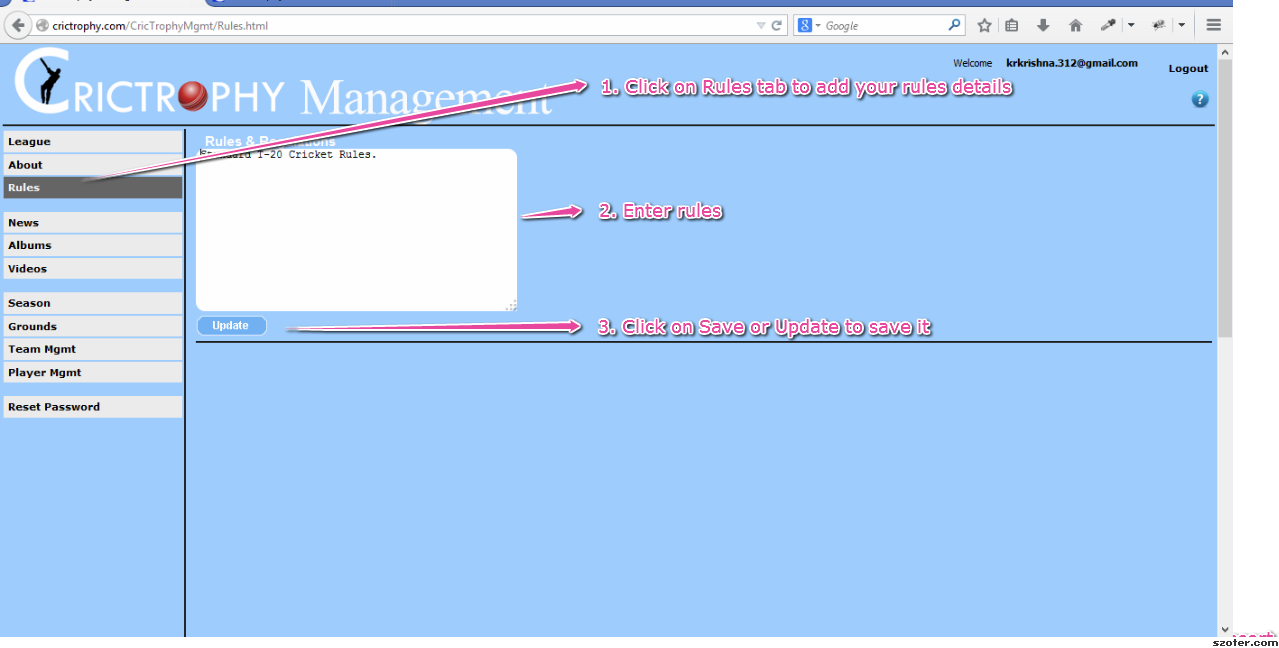
| 4 | Add Rules information |
Enter your info
Click on Save/Update. |
|
|
|||
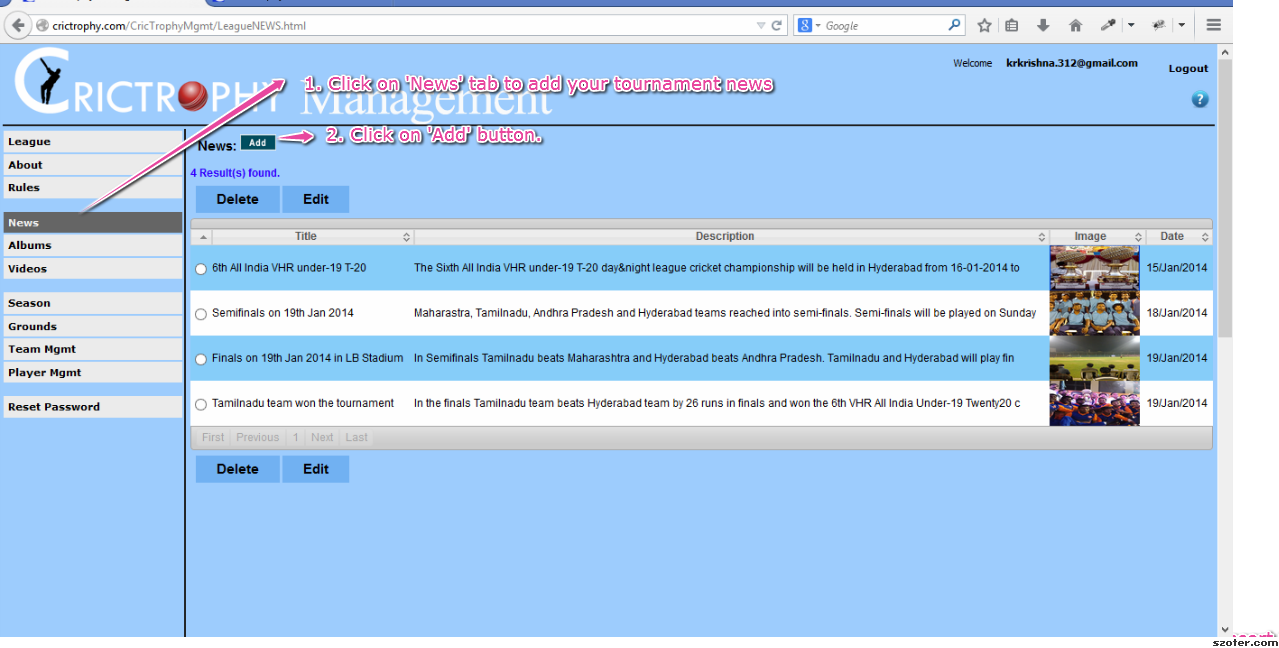
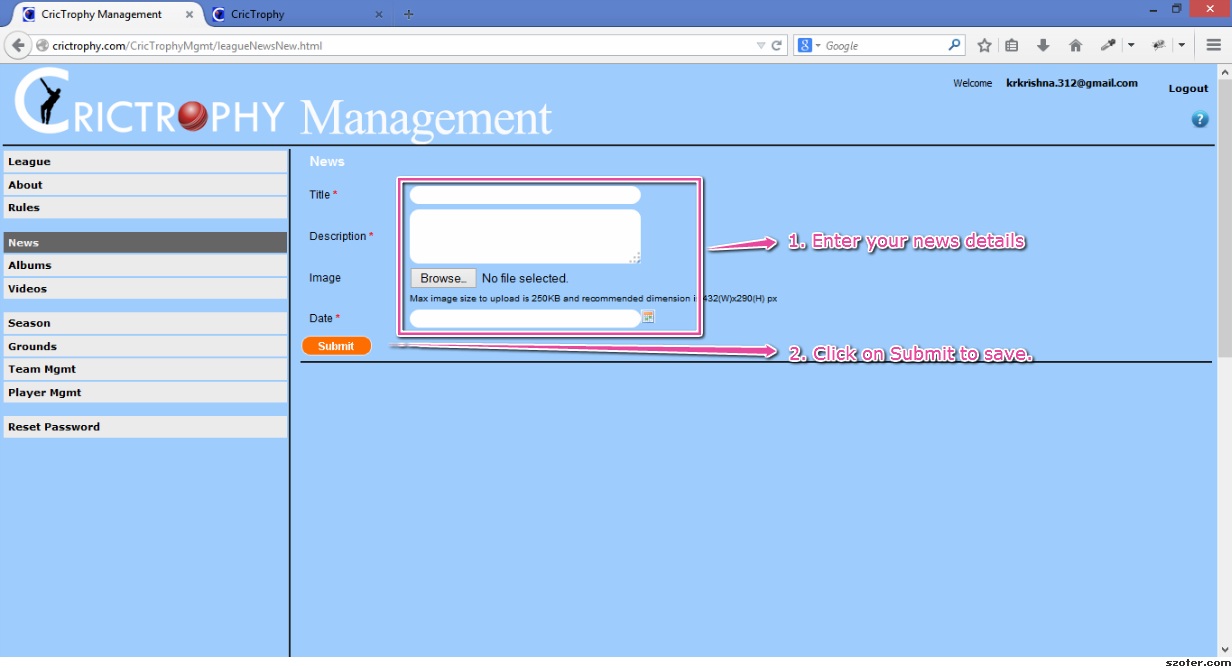
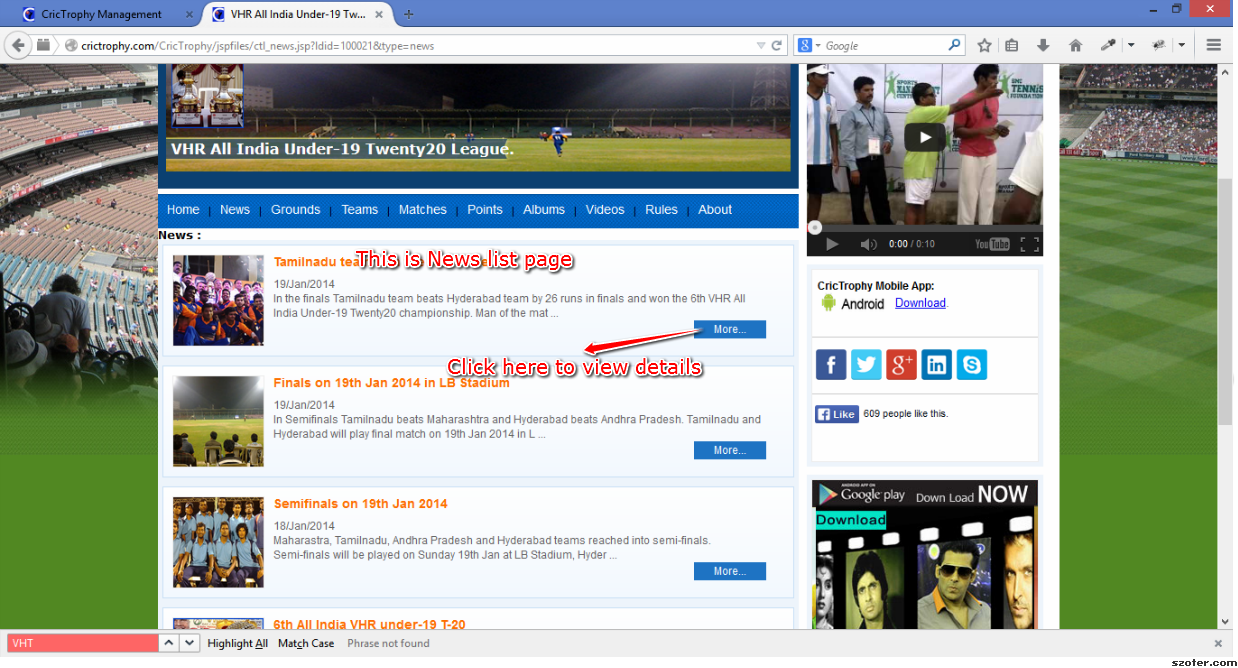
| 5 | Add News information |
Click on Add button Enter news details Click on Save/Update. |
|
|
|
||
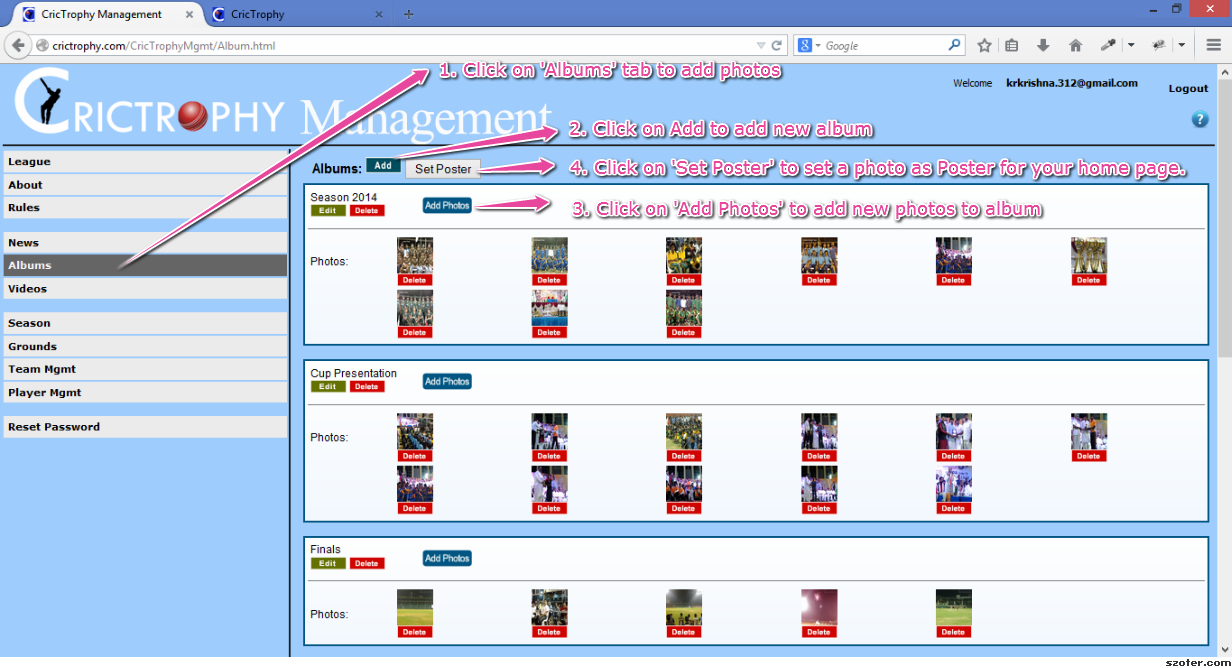
| 6 | Add Albums and Photos Set poster in home page. |
a)Click on Add button Enter album details Click on Save/Update. b) Click on 'Add Photos' to add photos to a Album. Enter Photos information. Click on Upload button. c) Click on 'Set Poster' to set a poster for your home page. Select a Photo Click on 'Set As Poster' |
|
|
|||
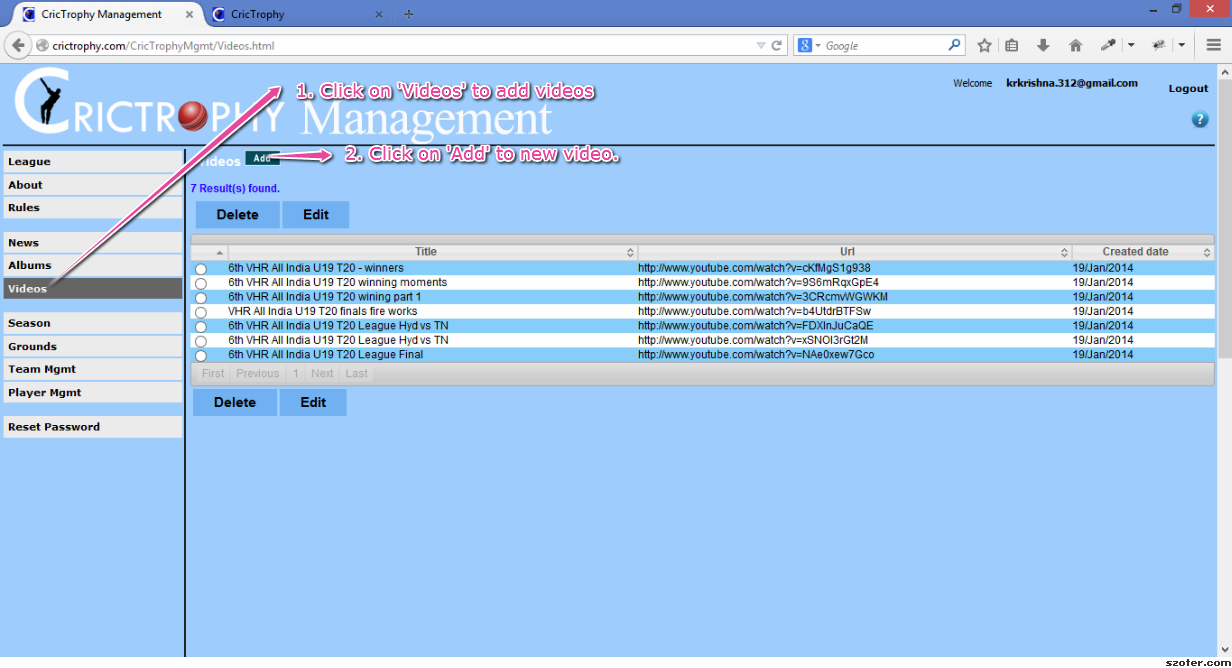
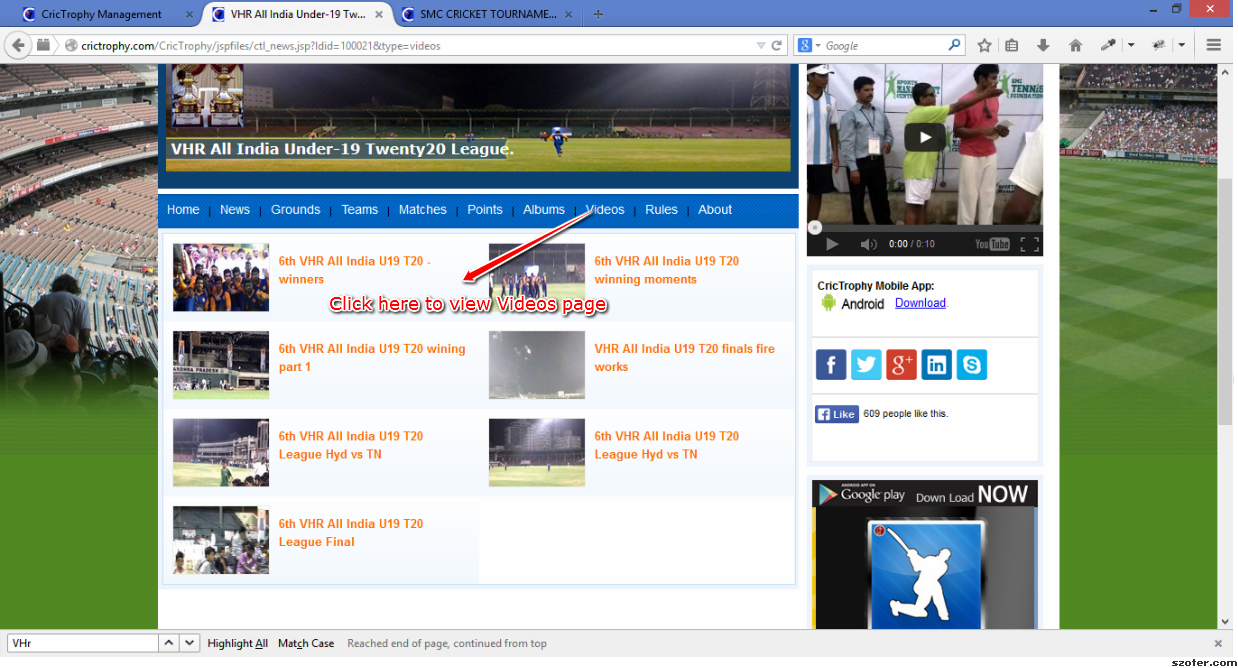
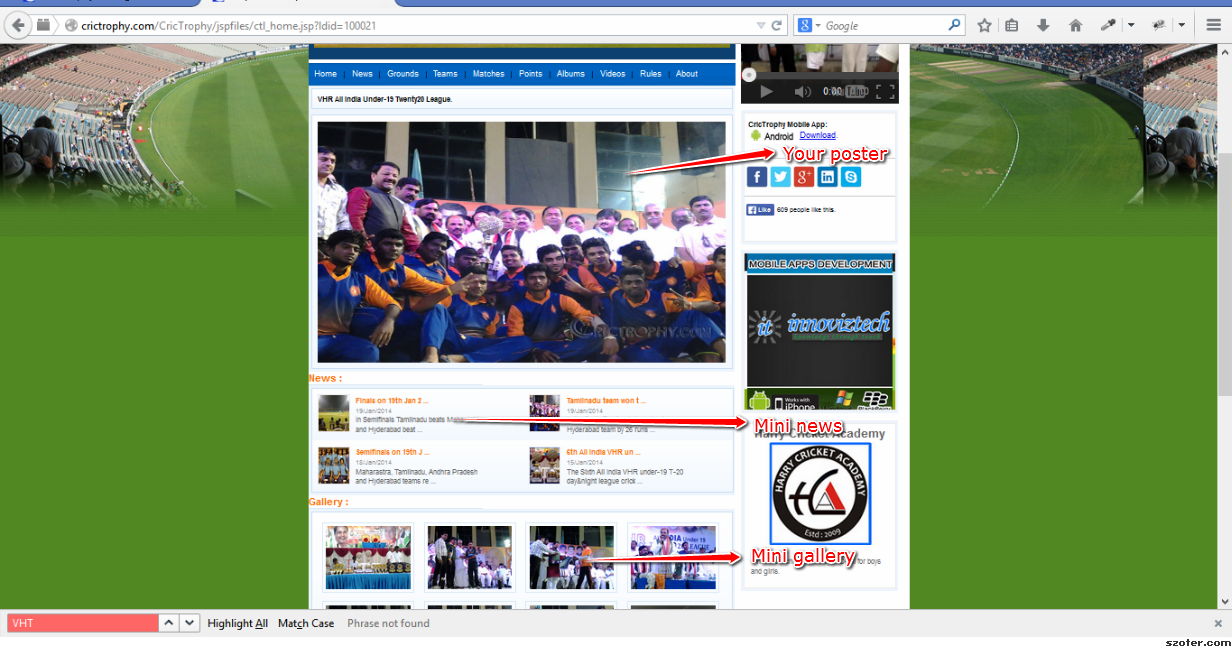
| 7 | Add Videos |
Click on Add button Enter videos details Click on Save. |
|
|
|
||
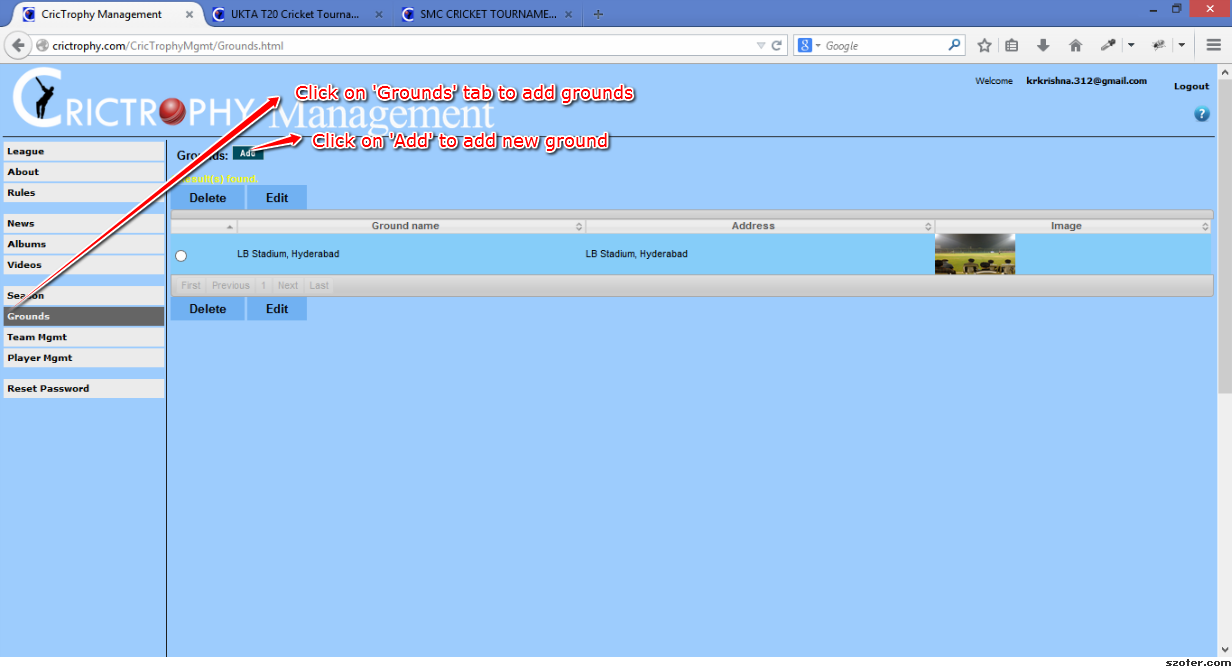
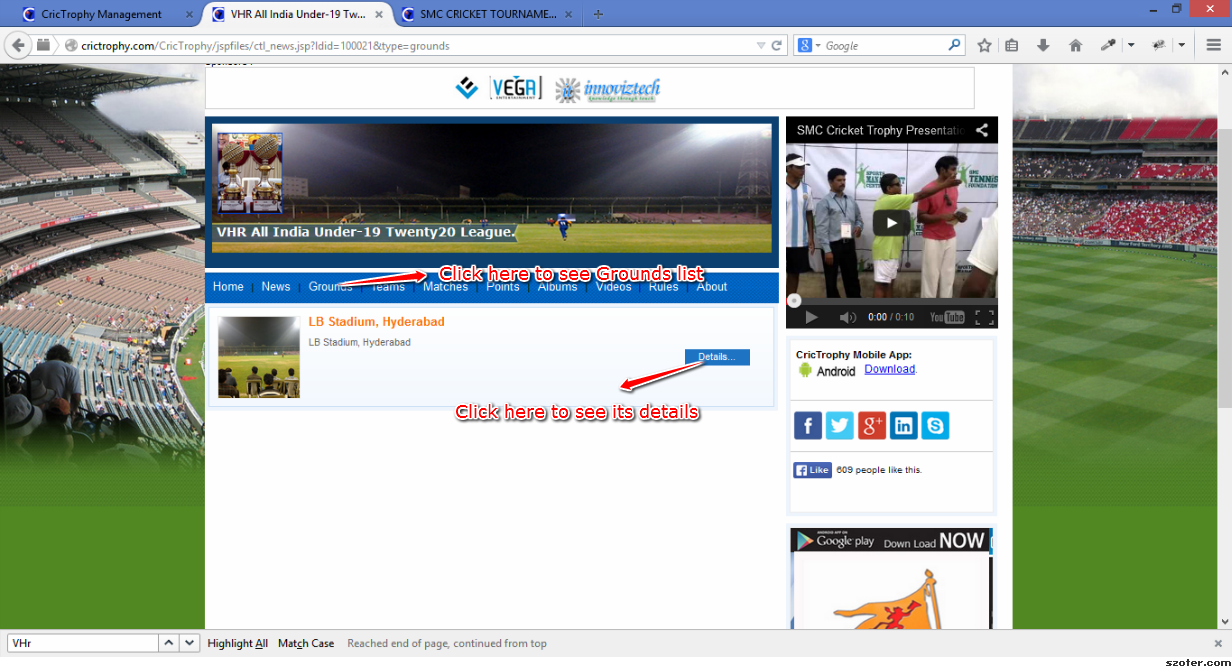
| 8 | Add Grounds |
Click on Add button Enter Ground details Click on Save. |
|
|
|
||
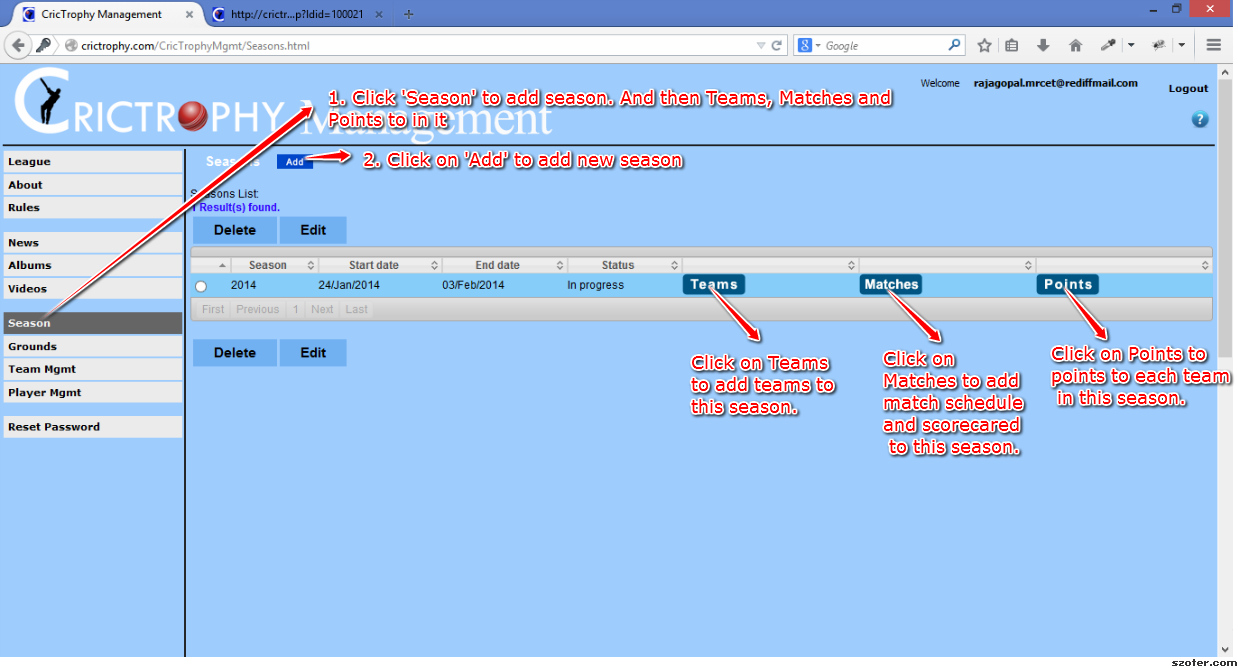
| 9 | Add Seasons (Teams & Players, Matches Schedule & Scorecard and Points) |
Click on Add button Enter Season details Click on Save. |
|
|
|||
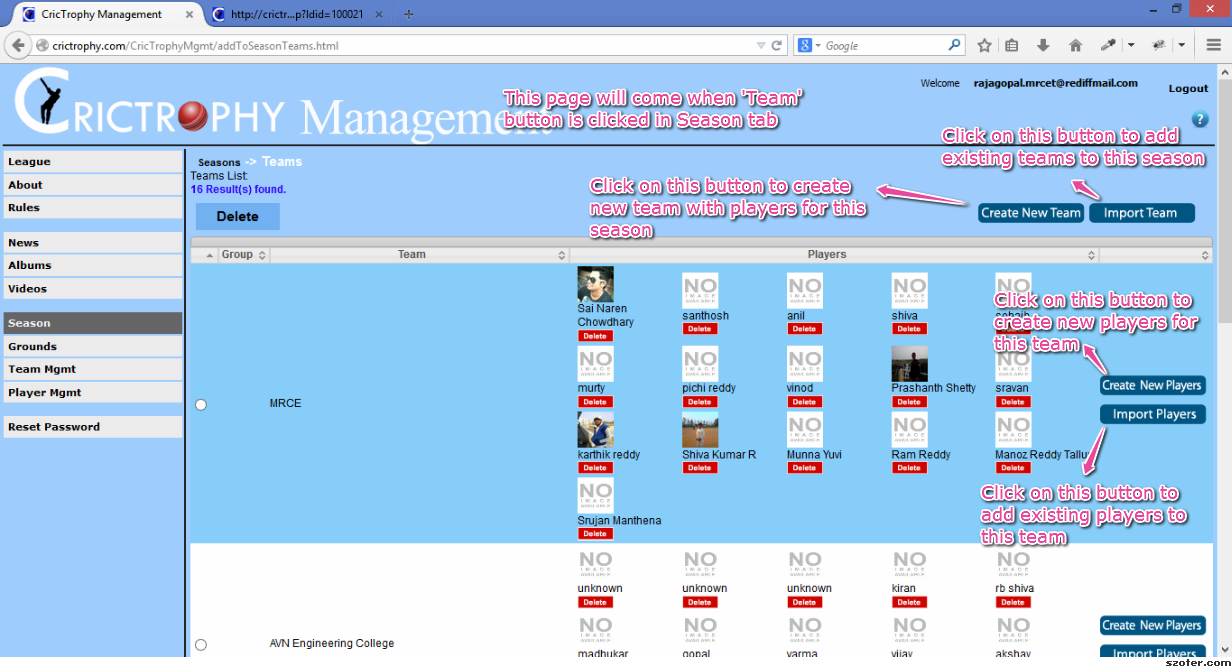
| 10 | Add Teams to Season |
Click on 'Teams' in Season tab Click on 'Create New Team' Enter Team and then Players details. Click on Save. |
|
|
|||
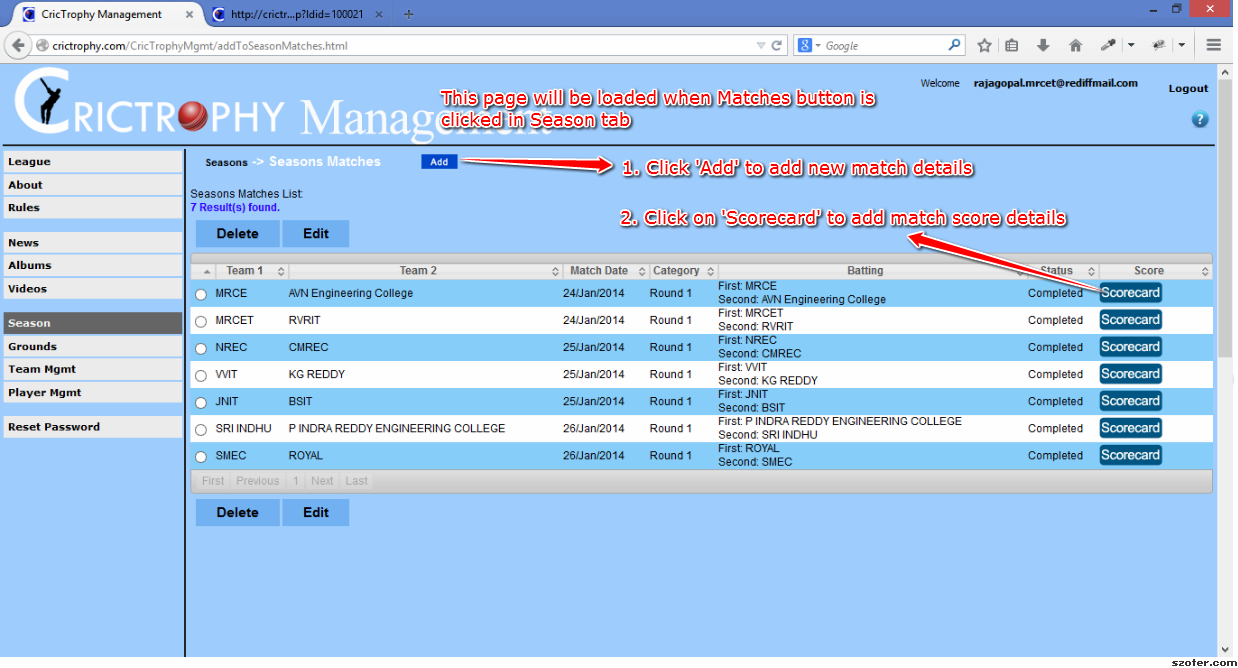
| 11 | How to add Schedule and Scorecard to Season |
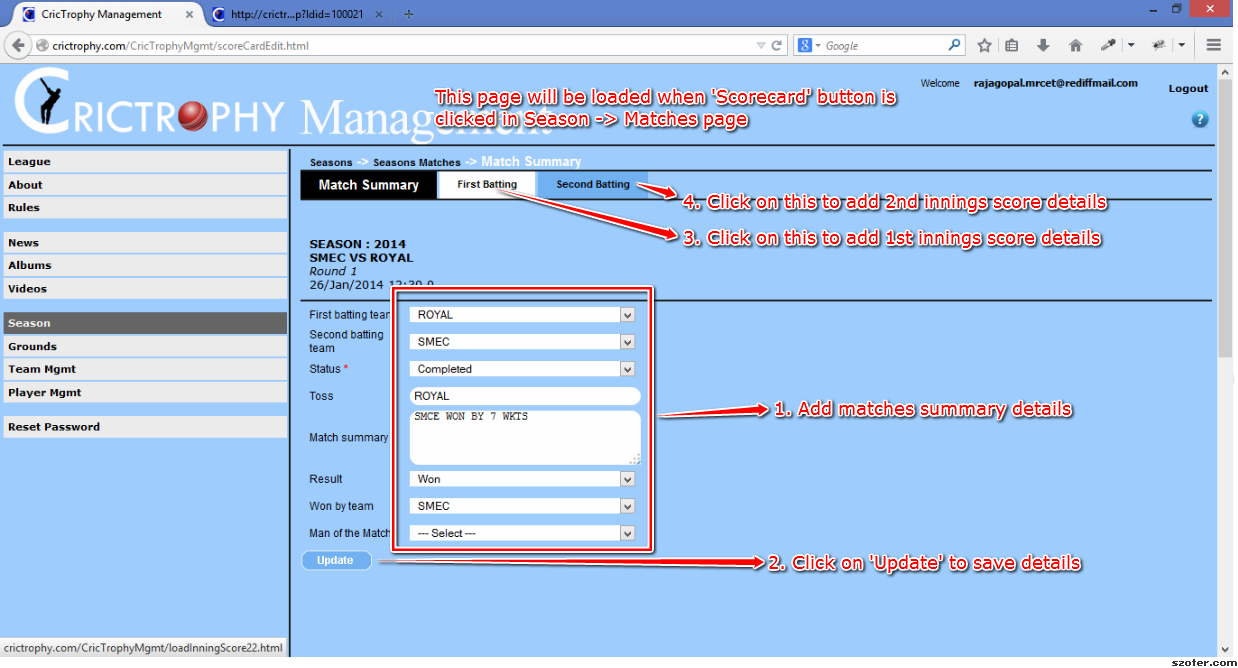
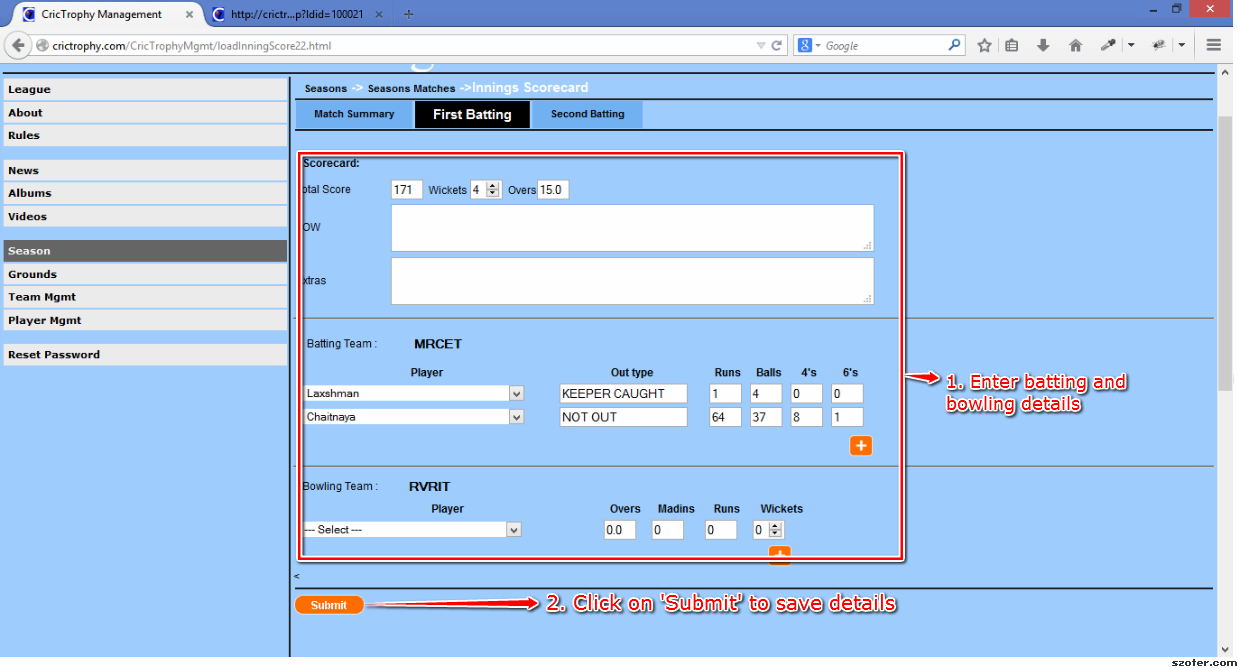
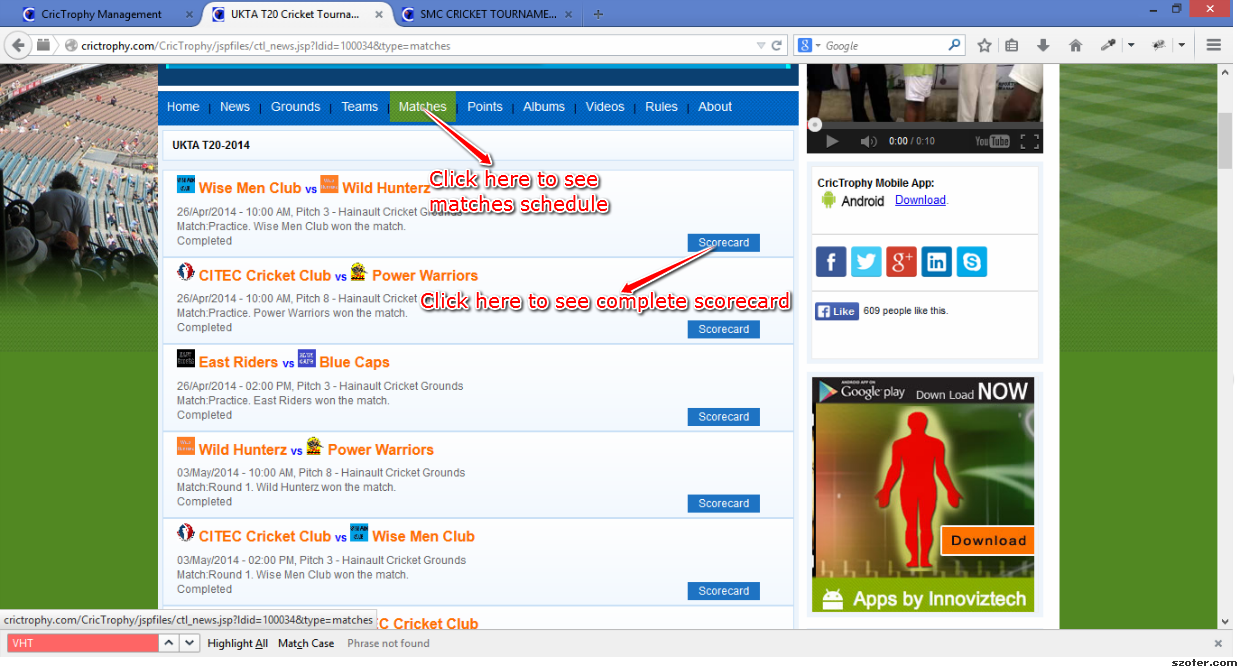
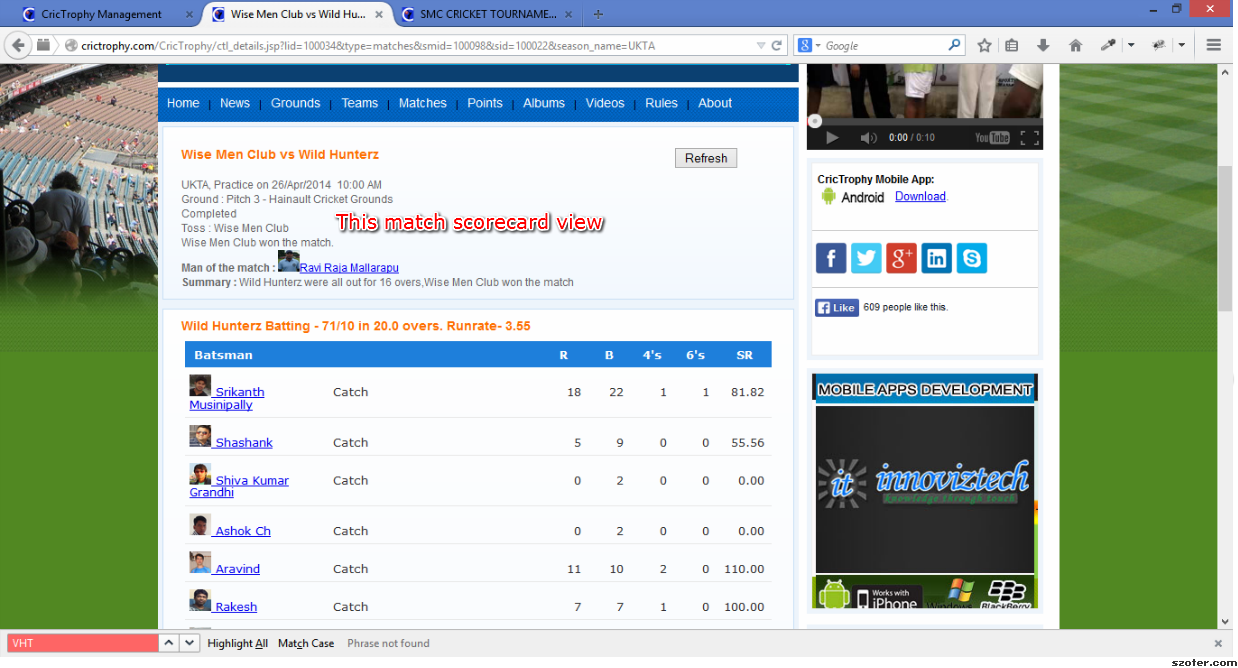
a) Click on 'Matches' in Season tab Enter Match details and click on Save button Click on 'Scorecard' to provide match summary. Enter Match details . Click on Update. b) Click on '1st Batting' to enter 1st innings Score details. Enter Match details . Click on Submit. c) Similarly add 2nd Batting details also. |
|
|
|
||
| 12 | Add Points and Top Players to Season |
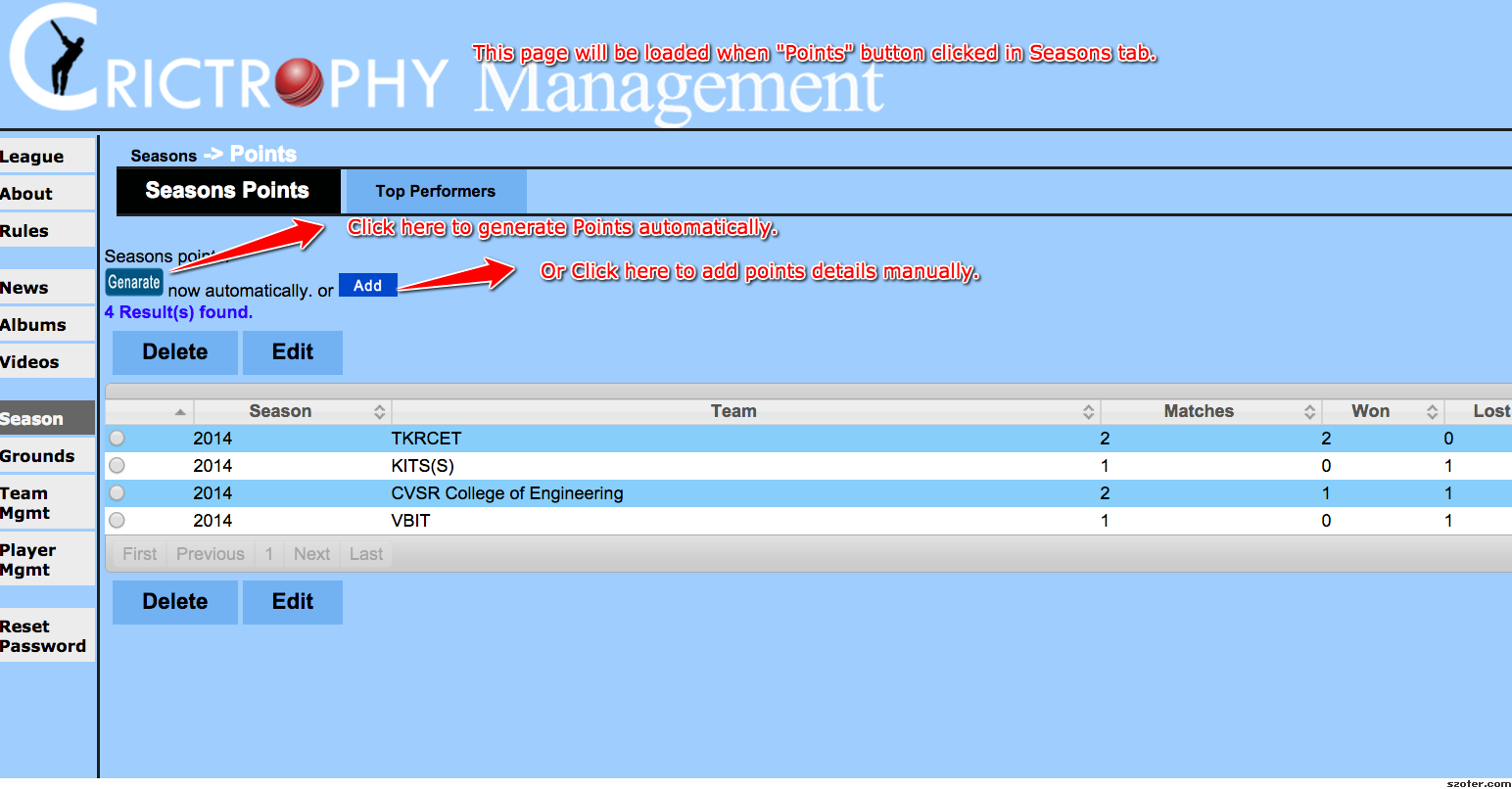
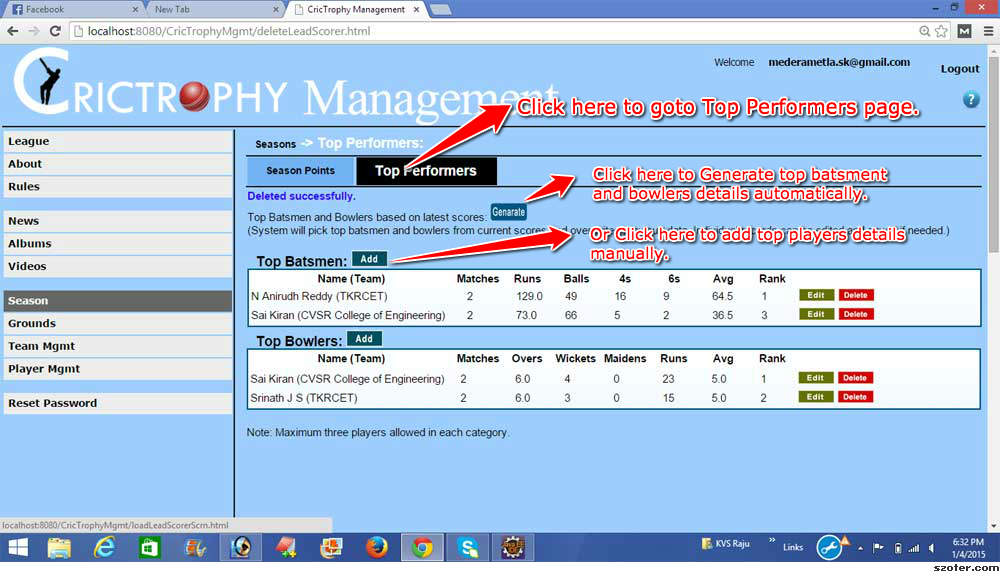
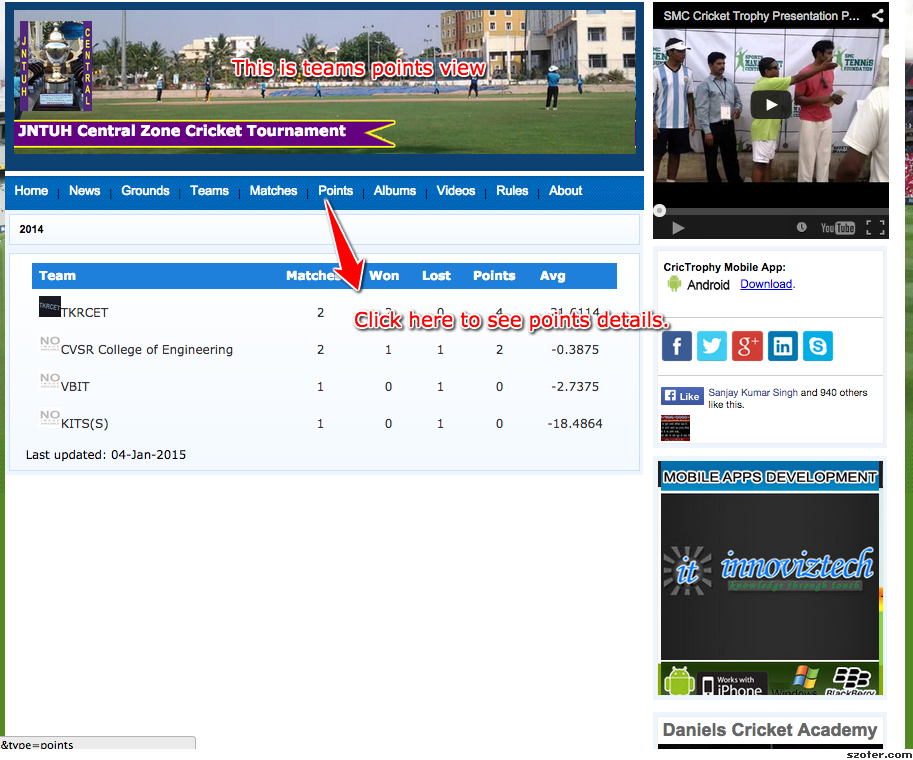
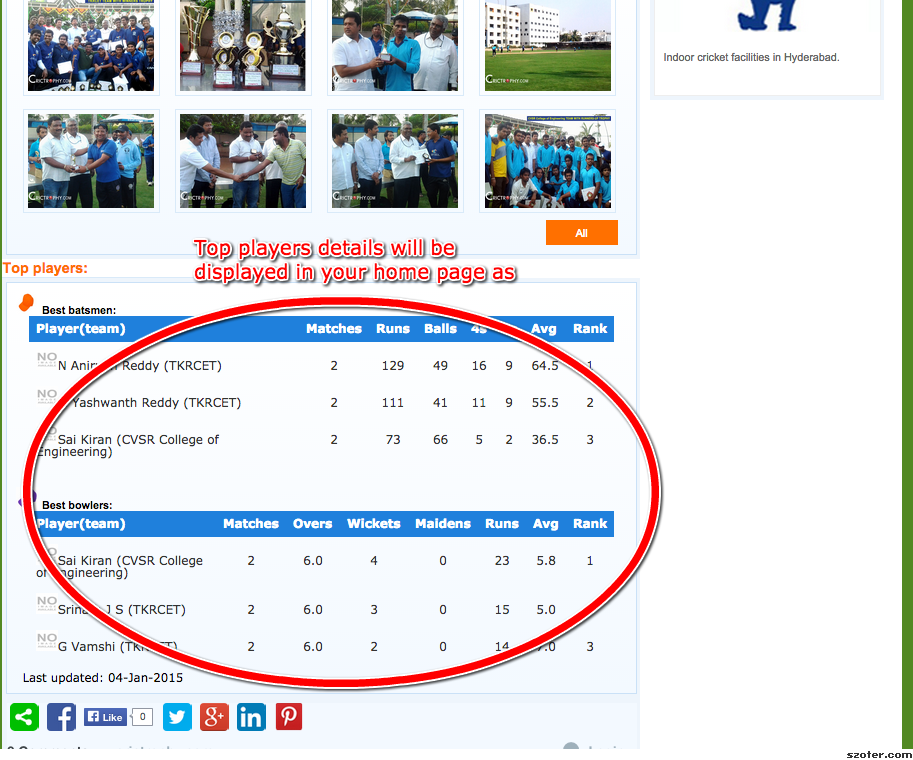
a) Click on 'Points' in Season tab Click on "Generate" to generate points automatically. Or Click on "Add" button to enter manually. Enter Points details . Click on Submit. b) Click on 'Top Performers' to enter Top bolwers and batsmen details. Click on "Generate" to generate Top bolwers and batsmen details automatically. Or Click on "Add" button to enter manually. Enter Batsmen or Bowler details . Click on Submit. |
|
|
|